
SUMMARY
- Tools like OpenCode and Aider are completely free and support local models via Ollama — zero cost, zero API bills. If budget is your primary concern, start here.
- Terminal-first developers thrive with CLI tools like OpenCode and Aider. IDE-native developers prefer Cursor or Windsurf. Choose based on how you actually work, not just features.
- Local alternatives keep proprietary code on your machine, never sending it to external APIs. OpenCode + Ollama is the strongest choice for privacy-conscious developers and enterprises.
- Gemini CLI offers up to 1,000 free requests daily. Windsurf provides a generous free tier with agentic capabilities. You can test AI coding assistants without committing financially.
- Most tools offer free tiers or open-source versions. Run a trial with a representative project before making a team-wide decision. The right fit is discovered through real use, not reading comparisons.
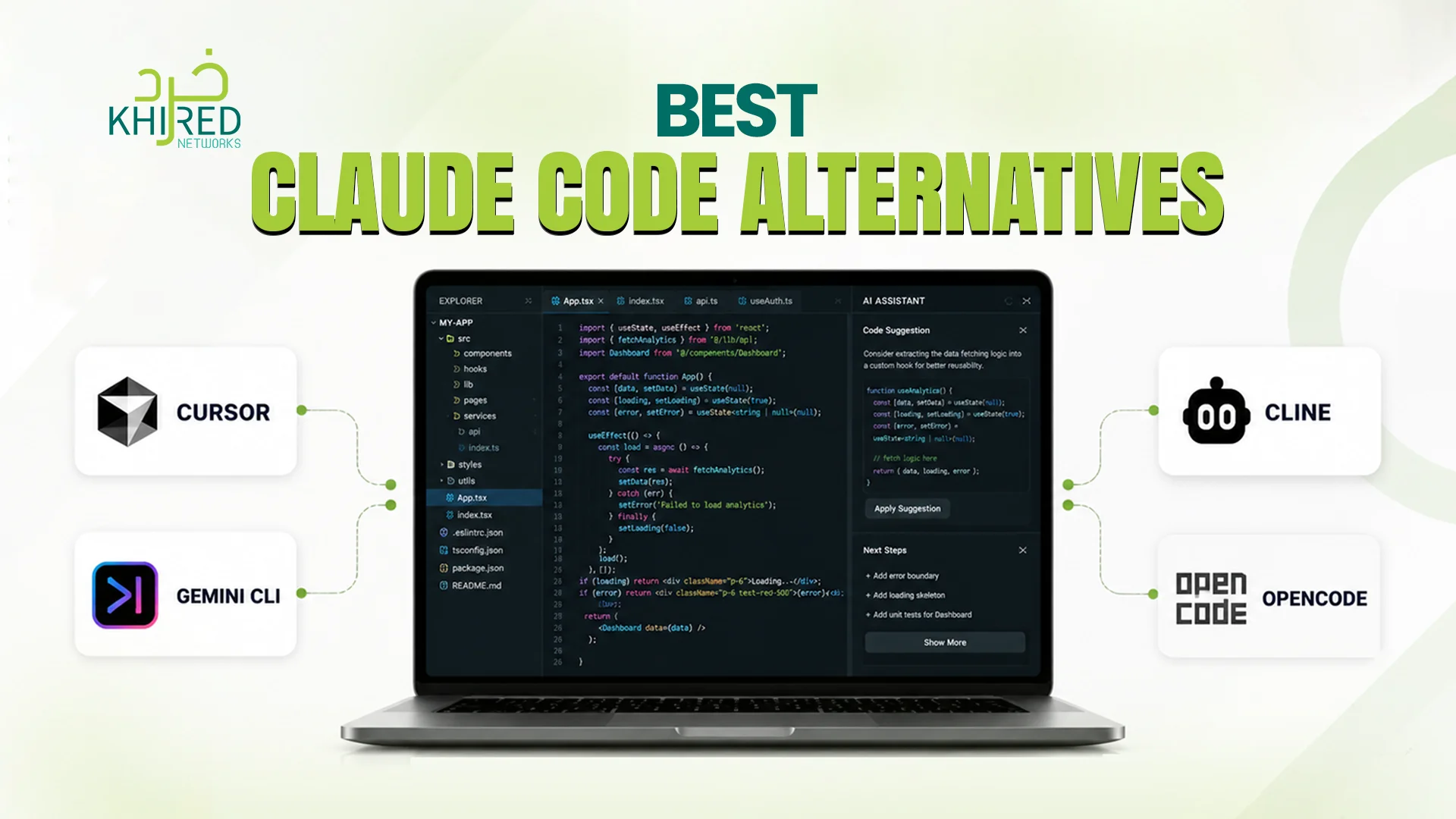
Claude Code has established itself as a powerful AI coding assistant. But it is not the only option and for many developers, it is not even the best option. Whether you are looking for an open-source alternative, a local-first solution, or a fully integrated AI-native IDE, the scope of AI-assisted development tools has expanded dramatically.
This guide compares the best Claude Code alternatives across different use cases: terminal-first CLIs, AI-native IDEs, and tools with generous free tiers. By the end, you will know exactly which tool fits your workflow.
What Is Claude Code?
Claude Code is an AI-powered coding assistant developed by Anthropic, designed to help developers write, review, and refactor code directly from their terminal. It integrates with your development workflow through a command-line interface, allowing you to describe tasks in natural language.
For example, “refactor this function for better performance” or “write unit tests for this module” — and receive AI-generated code suggestions in real time.
Unlike many AI coding tools that require a subscription, Claude Code operates on a pay-per-use model, charging for API credits based on usage. It supports multi-file editing, Git integration, and autonomous task execution.
While powerful, its reliance on API credits, lack of open-source flexibility, and inability to run locally with free models have led many developers to seek alternatives that offer greater control, privacy, and cost predictability.
Why Look for a Claude Code Alternative?
Claude Code is a capable AI coding assistant, but developers seek alternatives to Claude Code for several reasons:
- Cost
Claude Code requires API credits, which add up quickly. Open-source alternatives can run with local models via Ollama for zero cost.
- Flexibility
Some tools let you bring your own model (BYOM), connecting to OpenAI, Anthropic, Google, or local models like Ollama. This gives you choice and control over which AI powers your coding.
- Workflow Fit
Not every developer wants the same experience. Terminal-first developers prefer CLI tools. Others want a fully integrated IDE experience. Alternatives cater to both.
- Privacy
Local alternatives keep your code on your machine, never sending proprietary source code to external APIs. For companies with strict data policies, this is essential.
- Customisation
Open-source alternatives allow modification, extension, and self-hosting. You can tailor the tool to your specific workflows and integrate it into your existing infrastructure.
Terminal & CLI-Based Alternatives
For developers who live in the command line, these tools bring AI assistance directly to your terminal without leaving your workflow. Each offers unique strengths, from open-source flexibility to Git-native transparency, while keeping you in the environment you know best.
1. OpenCode: The Most Popular Open-Source Coding Agent
OpenCode is currently the most popular open-source coding agent, functioning natively in your terminal or as an IDE extension. Its defining feature is the ability to BYOM (Bring Your Own Model). You can seamlessly connect with over 75 providers, including local models via Ollama for zero-cost iterations.
Why choose OpenCode:
- True open-source flexibility
- Connect to any model provider
- Run entirely locally with Ollama
- Terminal-native workflow
- Active community and rapid development
Best for: Developers who want full control over their AI models and prefer terminal-based workflows.
2. Aider: Git-Native, Transparent, and Lightweight
Aider is a highly respected, Git-native AI coding assistant. It operates through Git-aware diffs, making every change transparent and reviewable. It is lightweight, completely free, and works smoothly right from your standard command line.
Why choose Aider:
- Git-native diff-based changes
- Transparent review before applying
- Completely free to use
- Lightweight — no heavy IDE overhead
- Works in any terminal
Best for: Developers who love Git workflows and want complete visibility into every AI-suggested change.
3. Cline: Autonomous Agent with Permission Control
Cline is an autonomous coding agent extension, originally built for VS Code and now expanding to other editors. It features explicit “Plan Mode” and permission-based execution, giving you control over what the AI can do. It also tracks your API token usage to keep costs fully in check.
Why choose Cline:
- Plan Mode for explicit approval before actions
- Permission-based execution
- Token usage tracking for cost control
- Autonomous multi-file editing
- Expanding beyond VS Code
Best for: Developers who want autonomous AI assistance with guardrails and cost transparency.
AI-Native IDE Alternatives
For developers who prefer a graphical, stateful development environment, these tools embed AI deeply into the editor experience. They offer cross-file refactoring, background agents, and chat-based suggestions, transforming your IDE into an AI-powered pair programmer.
1. Cursor: The Standard for AI-Integrated Coding
Cursor is often referred to as the gold standard for AI-integrated coding environments. It is a heavily modified fork of VS Code that allows cross-file refactoring, background subagents, and chat-based inline suggestions. It feels like VS Code but with AI deeply woven into every part of the experience.
Why choose Cursor:
- Native VS Code experience with AI enhancements
- Cross-file refactoring capabilities
- Background subagents for complex tasks
- Chat-based inline suggestions
- Industry standard for AI coding
Best for: Developers who want a seamless, integrated AI experience without leaving their editor.
2. Windsurf: Codeium’s AI IDE with Agentic Orchestration
Windsurf is Codeium’s AI IDE, built around agentic, multi-file orchestration. It provides robust background context awareness without consuming your premium prompt limits. Its generous free tier makes it an excellent entry point for developers exploring AI-assisted development.
Why choose Windsurf:
- Agentic multi-file orchestration
- Robust background context awareness
- Excellent free tier
- No premium prompt consumption for context
- Modern, intuitive interface
Best for: Developers wanting a free, capable AI IDE with strong agentic capabilities.
Cloud-Based and Generous Free Tiers
For developers who want powerful AI assistance without upfront costs, these cloud-based tools offer generous free tiers that rival paid alternatives. They provide excellent token optimisation and high daily limits; ideal for experimentation, prototyping, or budget-conscious teams.
1. Gemini CLI: Generous Free Tier with Excellent Token Optimisation
Gemini CLI stands out for its highly generous permanent free tier offering up to 1,000 free requests per day depending on your account level. Also, it provides excellent token optimisation. For developers on a budget or those experimenting with AI coding, this is a compelling option.
Why choose Gemini CLI:
- Up to 1,000 free requests per day
- Excellent token optimisation
- Permanent free tier
- No surprise costs
- Google’s AI capabilities
Best for: Developers who want generous free access and are comfortable with cloud-based AI.
Claude Code vs Competitors
|
Tool |
Type |
Free Tier |
Open Source |
Key Differentiator |
|
Claude Code |
Terminal CLI |
No (API credits) |
No |
Anthropic’s AI integration |
|
OpenCode |
Terminal CLI |
Yes (BYOM) |
Yes |
75+ model providers, local models |
|
Aider |
Terminal CLI |
Yes |
Yes |
Git-native diffs, transparent |
|
Cline |
IDE Extension |
Yes (BYOM) |
Yes |
Plan Mode, token tracking |
|
Cursor |
AI-Native IDE |
Limited |
No |
VS Code fork, industry standard |
|
Windsurf |
AI-Native IDE |
Yes |
No |
Agentic orchestration, free tier |
|
Gemini CLI |
Terminal CLI |
Yes (1k/day) |
No |
Generous free tier |
Claude Code vs Competitors: Feature Comparison
|
Feature |
Claude Code |
OpenCode |
Aider |
Cline |
Cursor |
Windsurf |
Gemini CLI |
|
Type |
Terminal CLI |
Terminal CLI |
Terminal CLI |
IDE Extension |
AI-Native IDE |
AI-Native IDE |
Terminal CLI |
|
Open Source |
❌ No |
✅ Yes |
✅ Yes |
✅ Yes |
❌ No |
❌ No |
❌ No |
|
Free to Use |
❌ No |
✅ Yes |
✅ Yes |
✅ Yes |
Limited |
✅ Yes |
✅ Yes |
|
Bring Your Own Model |
❌ No |
✅ Yes |
✅ Yes |
✅ Yes |
❌ No |
❌ No |
❌ No |
|
Local Model Support |
❌ No |
✅ Yes (Ollama) |
✅ Yes (Ollama) |
✅ Yes (Ollama) |
❌ No |
❌ No |
❌ No |
|
Git Integration |
✅ Yes |
✅ Yes |
✅ Yes (native) |
✅ Yes |
✅ Yes |
✅ Yes |
✅ Yes |
|
Multi-File Editing |
✅ Yes |
✅ Yes |
✅ Yes |
✅ Yes |
✅ Yes |
✅ Yes |
✅ Yes |
|
Cross-File Refactoring |
Limited |
✅ Yes |
✅ Yes |
✅ Yes |
✅ Yes |
✅ Yes |
Limited |
|
Autonomous Agents |
✅ Yes |
✅ Yes |
✅ Yes |
✅ Yes |
✅ Yes |
✅ Yes |
✅ Yes |
|
Plan/Review Mode |
✅ Yes |
✅ Yes |
✅ Yes (diff-based) |
✅ Yes |
✅ Yes |
✅ Yes |
✅ Yes |
|
Token Usage Tracking |
✅ Yes |
✅ Yes |
✅ Yes |
✅ Yes |
❌ No |
❌ No |
✅ Yes |
|
Free Daily Limit |
None (paid) |
Unlimited (BYOM) |
Unlimited (BYOM) |
Unlimited (BYOM) |
Limited |
Generous |
|
How to Choose the Right Tool
Choose Terminal & CLI Tools If:
- You prefer working in the terminal
- You want to bring your own model (including local models)
- Transparency and Git-native workflows matter to you
- You want open-source flexibility
Choose AI-Native IDEs If:
- You want AI deeply integrated into your editor
- You prefer a graphical, stateful development environment
- Cross-file refactoring is important to your workflow
- You want chat-based inline suggestions
Choose Cloud-Based Free Tiers If:
- You are experimenting with AI coding
- You have a limited budget
- You want generous free usage without commitment
How to Evaluate Your AI Coding Assistant
1. Assess Your Workflow
|
Workflow Type |
Best Tool Type |
Examples |
|
Terminal-native |
CLI tools |
OpenCode, Aider |
|
VS Code user |
IDE extension or fork |
Cline, Cursor |
|
Multi-IDE team |
Standalone CLI |
OpenCode, Gemini CLI |
|
Graphical preference |
AI-native IDE |
Cursor, Windsurf |
2. Consider Your Cost Model
|
Budget |
Recommended Approach |
|
Zero budget |
OpenCode + Ollama (local) |
|
Low budget |
OpenCode + API credits (pay-as-you-go) |
|
Premium experience |
Cursor or Windsurf subscriptions |
|
Experimental |
Gemini CLI free tier |
3. Evaluate Privacy & Compliance
|
Requirement |
Recommended Tool |
|
Code never leaves machine |
OpenCode + Ollama (local) |
|
Acceptable to use cloud APIs |
Any tool with API access |
|
Enterprise security requirements |
Open-source self-hosted options |
|
Need audit trails |
Tools with token tracking (Cline, Aider) |
4. Test Before Committing
Most tools offer free tiers or open-source versions. Run a trial with a representative project before making a team-wide decision.
What Developers Are Saying
On OpenCode:
“OpenCode has saved me hours on repetitive coding tasks. The ability to switch between OpenAI, Anthropic, and local models in the same session is a game-changer. I use it daily for both personal projects and client work.”
On Cursor:
“I moved from VS Code to Cursor six months ago and never looked back. The AI suggestions feel like having a senior developer pair-programming with me. Cross-file refactoring is seamless.”
On Windsurf:
“The free tier is genuinely useful, not just a teaser. Windsurf understands the context of my entire codebase, not just the open file. Background agents handle complex refactoring while I focus on architecture.”
On Aider:
“Aider respects my Git workflow. Every change is a diff I can review before applying. It never surprises me. For teams that care about code review, this is essential.”
On Cline:
“Plan Mode is a killer feature. I can see exactly what the agent intends to do before it executes. Token tracking keeps costs predictable. No surprise bills.”
Making the Transition from Claude Code
If you are moving from Claude Code to one of these alternatives, here is how each compare:
|
Your Priority |
Recommended Alternative |
|
Open-source flexibility |
OpenCode |
|
Terminal + Git workflow |
Aider |
|
VS Code integration |
Cline |
|
Full IDE experience |
Cursor |
|
Free tier with generous limits |
Windsurf or Gemini CLI |
|
Running entirely offline |
OpenCode + Ollama |
Conclusion
The AI coding assistant ecosystem has matured beyond a single dominant tool. Whether you need a Claude Code alternative open source like OpenCode, a Claude Code local alternative with Ollama, or an OpenAI Claude Code competitor like Cursor, there are excellent options for every workflow and budget.
The best tool is the one that fits your development style. Terminal purists will love OpenCode and Aider. IDE-native developers will feel at home with Cursor or Windsurf. Budget-conscious developers can start with Gemini CLI’s generous free tier.
Evaluate your priorities — cost, privacy, workflow, integration — and choose accordingly. The future of AI-assisted development is not one tool. It is a diverse ecosystem, and the power is in your hands.
Ready to Supercharge Your Development Workflow?
Khired Networks helps development teams select, implement, and optimise AI-assisted coding tools that accelerate delivery without compromising code quality. From tool evaluation to custom integrations, we guide you through the AI development landscape.
Contact us today for a free consultation. Let us find the right AI coding assistant for your team and workflow.
Frequently Asked Questions
What is the best Claude Code alternative overall?
There is no single “best”. It depends on your needs. OpenCode offers the most flexibility with 75+ model providers. Cursor provides the most polished IDE experience. Aider is best for Git-native workflows. Evaluate based on your priorities.
Is there a free open-source alternative to Claude Code?
Yes. OpenCode and Aider are both open-source and completely free to use. You can run them with local models via Ollama for zero-cost, offline AI assistance.
Can I run a Claude Code alternative completely offline?
Yes. OpenCode supports local models via Ollama, allowing you to run AI coding assistance entirely on your machine without any external API calls or internet connectivity.
Which alternative has the most generous free tier?
Gemini CLI offers up to 1,000 free requests per day. Windsurf also provides an excellent free tier with agentic orchestration capabilities without consuming premium prompt limits.
Do these alternatives work with VS Code?
Yes. Cline is built as a VS Code extension. OpenCode works as an IDE extension. Cursor is a fork of VS Code. Most alternatives either integrate with VS Code or provide a similar experience.
How Much Does AI-Assisted Coding Actually Cost?
Costs vary by model and usage. Proprietary assistants like Claude Code charge per API call or subscription. Open-source alternatives like OpenCode or Aider are free to use, but you pay for model usage if using commercial APIs. Running local models via Ollama costs nothing beyond hardware.
Can I Use My Own API Keys With AI Code Assistants?
Yes. Tools like OpenCode, Aider, and Cline support BYOM (Bring Your Own Model), allowing you to connect your own OpenAI, Anthropic, or Google API keys. This gives you control over costs and model selection.


0 Comments