
Gartner states that more than half of the modern digital experiences now happen outside the world of traditional websites!
In the present era, how we use and interact with technology is in constant flux. Websites are no longer the only place where content lives. Today, the same content must work smoothly on mobile apps, smart devices, dashboards, and even in-store screens.
This rapid shift in content consumption has created a clear challenge: managing and delivering content consistently across multiple channels can no longer rely on manual processes or traditional tools. Businesses now need a system that centralizes content creation, streamlines management, and ensures seamless delivery everywhere.
As a result, choosing the right CMS is no longer just a technical decision. It directly impacts scalability, performance, and long-term growth. And that’s where modern approaches like Headless CMS and Decoupled CMS come into focus.
Let’s break down these concepts with a clear comparison that will help you decide which one fits your needs.
Understanding Headless CMS
Imagine a CMS that only manages content — like articles, product descriptions, or blog posts — and doesn’t care how they are shown to users. That’s what a Headless CMS is.
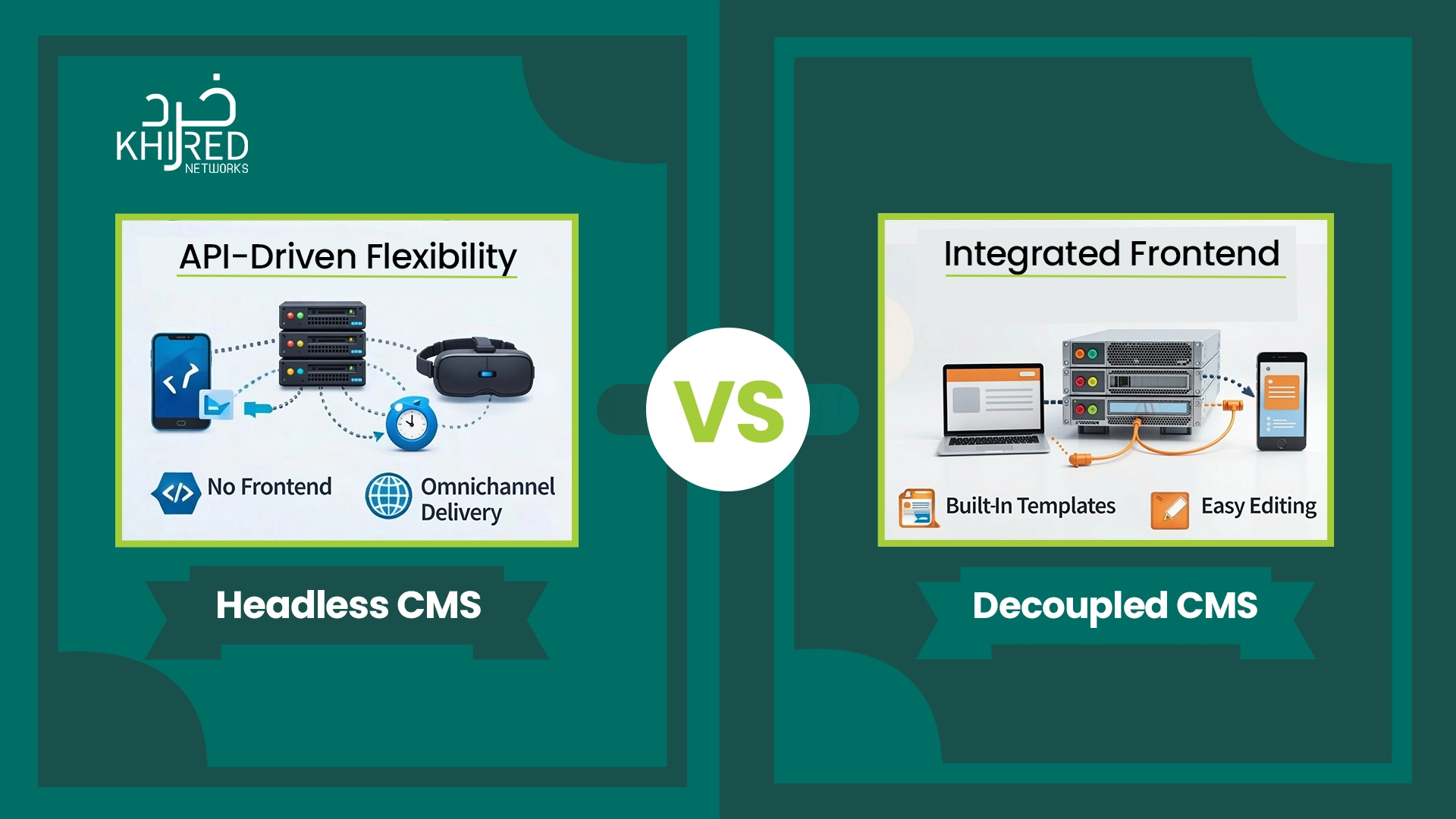
In a headless setup, the system stores and manages content on the back end. It then serves that content through APIs to any front end — whether it’s a website, mobile app, or even a smartwatch app.
Wondering why Is It Called “Headless”?
Let’s break it down. Between headless CMS and traditional CMS, this is the management system in which the head (the frontend) and the body (backend) are separate from one another. It connects through a set of different APIs to connect with multiple custom-built frontends.
The benefit: Using the APIs, you can publish in as many different ways as possible. That, too, by using any programming language.
Examples
- Contentful – Popular API-first platform for scalable, multi‑channel content.
- Strapi – Open‑source and highly customizable with powerful APIs.
- Sanity – Real‑time collaboration and structured content workflows.
- Prismic – Easy to use with a visual editor and flexible APIs.
- Ghost (Headless Mode) – Lightweight, API‑driven content platform.
What is Decoupled CMS
Moving forward, we have decoupled CMS — a setup where the content is managed on the back end, just like a headless CMS. However, it also includes a native frontend. This frontend can render content for websites, while APIs allow the same content to be delivered to mobile apps or other digital channels.
Imagine it as a CMS that still manages content like articles, product pages, and blogs, but also keeps a built-in way to display that content on a website. At the same time, it can send the same content to other platforms.
Why Is It Called “Decoupled”?
The term “decoupled” means the front end and back end are separated, but not completely independent. The backend manages content, while the frontend handles presentation. They communicate through APIs, yet both parts still exist within the same system.
The benefit: You get flexibility without losing convenience. Content teams can preview and manage content easily, while developers can still push content to multiple platforms when needed.
Examples
- Drupal (Decoupled Setup) – Strong backend with flexible API support and optional frontend rendering.
- Adobe Experience Manager – Enterprise-level CMS supporting decoupled and hybrid content delivery.
- Sitecore – Combines powerful content management with API-based delivery options.
- Kentico Xperience – Offers both traditional and decoupled CMS capabilities.
- TYPO3 – Open-source CMS supporting decoupled architecture through APIs.
Headless CMS vs Decoupled CMS: Key Differences
The following table highlights the key differences between the content management systems.
|
Comparison Factor |
Headless CMS |
Decoupled CMS |
|
Core Purpose |
Designed for distributing content across many platforms without a fixed presentation layer. |
Designed to balance website management with the option to deliver content to other channels. |
|
Frontend Dependency |
No built-in frontend. Every user experience must be custom-built. |
Includes a native frontend but allows external frontends through APIs. |
|
Content Preview Experience |
Requires custom preview setups, often handled by developers. |
Built-in preview tools make it easier for editors to visualize content before publishing. |
|
Editor Workflow |
Editor experience depends heavily on how the frontend is built. |
More editor-friendly with structured workflows and visual editing support. |
|
Multi-Channel Scalability |
Scales easily across apps, devices, and future platforms. |
Scales well for moderate multi-channel needs but become complex at very large scales. |
|
Development Effort |
Higher initial development effort, but greater long-term flexibility. |
Lower initial effort with quicker setup and reduced frontend development. |
|
Long-Term Flexibility |
Ideal for businesses planning rapid growth or evolving digital experiences. |
Better suited for stable websites with occasional expansion needs. |
|
Best Fit Teams |
Product-driven teams with strong developers and custom UX goals. |
Content-driven teams that need speed, previews, and ease of management. |
Headless CMS vs Decoupled CMS: Pros
Both promise flexibility, better control, and multi-channel content delivery. Yet they work very differently, and choosing the wrong one can create long-term limitations.
Benefits of Headless CMS
1. Omnichannel Delivery
Deliver content seamlessly to websites, mobile apps, IoT devices, kiosks, and more — all from a single content hub. This saves time and ensures consistency.
2. Developer Freedom
Design custom front-end experiences using any framework (React, Vue, Angular) without being constrained by the CMS’s native templates.
3. Future-Proof Architecture
Headless CMS separates content from presentation, so your system can easily adapt to new technologies or platforms in the future.
4. Scalability
Easily scale your content operations across multiple channels without creating duplicate content for each platform.
5. Faster Updates Across Platforms
Since all content comes from a central repository via API, updates instantly reflect everywhere, improving efficiency.
6. Enhanced Security
By decoupling the front-end, headless CMS reduces attack surfaces compared to traditional CMS setups.
Benefits of Decoupled CMS
1. Built-In Templates
Launch a functional website quickly with ready-to-use front-end templates. Ideal for teams needing speed and efficiency.
2. Ease of Content Editing
Editors can preview how content appears before publishing, reducing errors and enhancing workflow.
3. Balanced Flexibility
Supports multi-channel delivery while maintaining a convenient built-in presentation layer, combining modern flexibility with traditional ease of use.
4. Reduced Development Effort
Less reliance on developers compared to the headless CMS for day-to-day content management and basic site updates.
5. Cost-Effective for Small Teams
Because you don’t need to build everything from scratch, a decoupled CMS is often more budget-friendly for smaller projects.
6. Good Option for Hybrid Projects
If you occasionally need multi-channel content but primarily focus on a website, a decoupled CMS handles both efficiently.
Choosing the Right CMS
True, both types of CMS come with a separate set of benefits, but it’s not like either can go well with your project. The right choice depends on your goals, team skills, and potential to scale.
Choose a Headless CMS If:
- You plan to publish content across multiple platforms, including web and mobile apps.
- Your team can build and manage custom front ends using APIs.
- You need full control over design and user experience.
- Frequent UI changes or redesigns are expected.
- Scalability and long-term flexibility are top priorities.
Choose a Decoupled CMS If:
- Your main focus is on traditional websites.
- Editors rely on visual tools and content previews.
- You want a quicker setup with familiar CMS features.
- Your team prefers simpler workflows.
- Multi-channel delivery may come later, not immediately.
Final Thoughts
Choosing between a headless CMS and a decoupled CMS is not about following trends. It’s about understanding how your content needs to work today and how it may need to grow tomorrow.
Both approaches solve real problems created by modern, multi-platform content demands, but they do so in different ways. Selecting the right one is based on what you aim to do with your product and on your team’s skills. With the right choice, your CMS becomes not just a tool, but a foundational platform that powers richer content experiences across every digital touchpoint.
Frequently Asked Questions
What is the main difference between headless CMS and decoupled CMS?
Headless CMS has no built‑in frontend — it delivers content via APIs only, while a decoupled CMS includes an optional presentation layer plus APIs.
Which CMS is better for omnichannel content delivery?
Headless CMS is generally better for omnichannel content distribution because it serves content flexibly to many types of platforms.
Which CMS option is ideal for a beginner small business?
A decoupled CMS is often better for beginners, giving easier editing tools and faster setup.


0 Comments