
SUMMARY
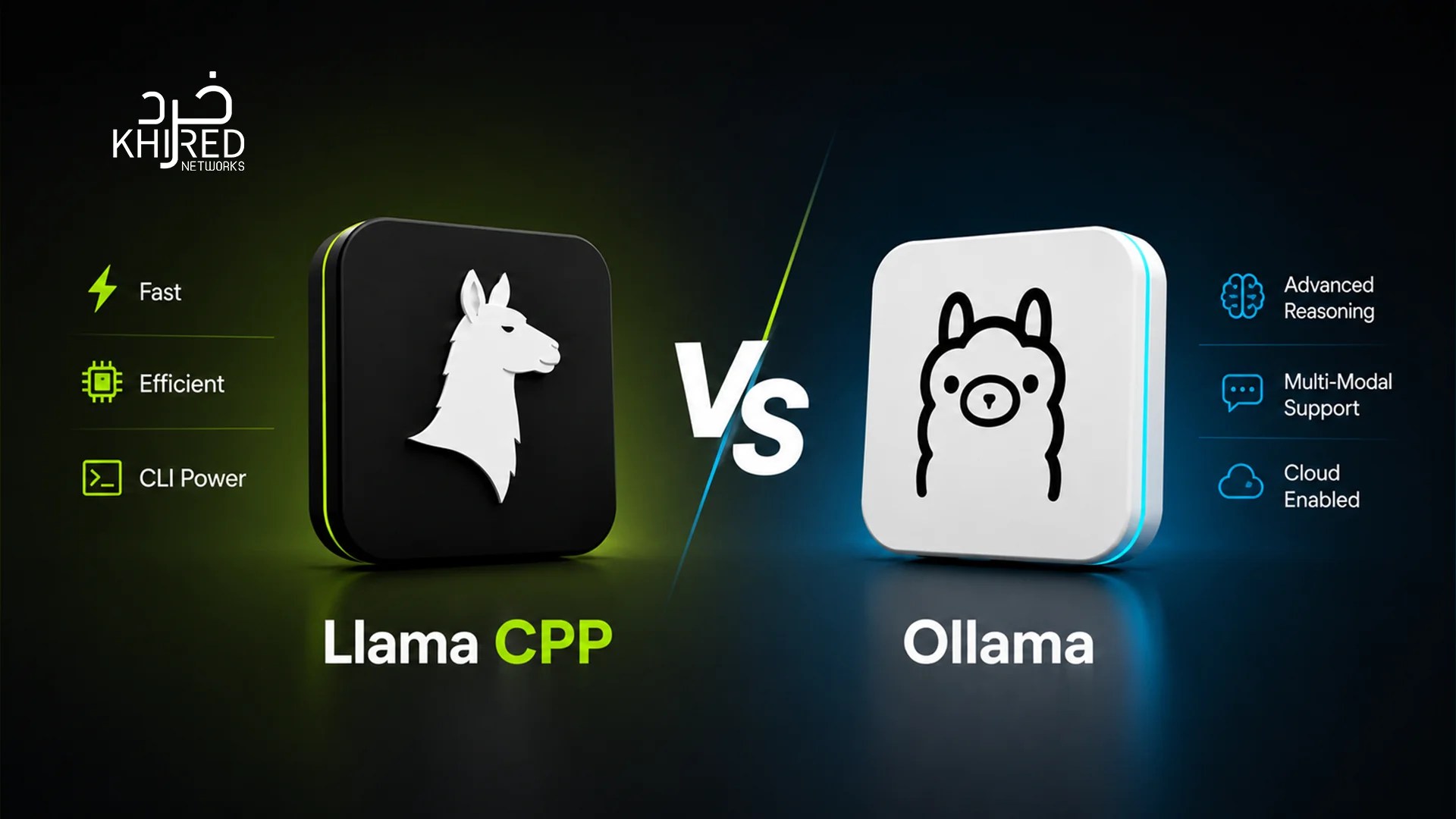
- Ollama runs on llama.cpp. The comparison is about wrapper overhead, not competing engines.
- Performance gap is 8–14%. Llama.cpp: 95 tok/s vs Ollama: 82 tok/s on RTX 5090 with Llama 3 8B.
- Context window difference matters. Llama.cpp allows 32,768 tokens vs Ollama’s 11,288 on the same hardware. This is critical for RAG and long documents.
- Ollama’s popularity is massive. 172,000 GitHub stars and tens of millions of monthly downloads in 2026.
- 42% of developers run LLMs locally by 2026 for privacy, cost, and performance control.
- Start with Ollama. Migrate to llama.cpp when you hit performance limits or need production-grade control.
Here is the first thing most llama.cpp vs Ollama comparison articles get wrong: they frame it as two tools competing to do the same thing. They are not. One is an inference engine. The other is a user-friendly wrapper around that same engine.
If you have installed Ollama to run a model on your own machine, you are already running llama.cpp. Both tools ship it as their inference engine. So, when you pit Ollama vs llama.cpp, you are not watching two engines race. You are watching one engine wearing two different costumes, and the only thing being measured is what each costume weighs.
That framing changes the question significantly. The real comparison is not about which tool produces better outputs. They will both produce identical outputs from the same model, because they are running the same model through the same engine. The comparison is about what the wrapper layer around that engine costs you in performance, and what it gives you back in convenience, features, and integration simplicity.
Both of those things have real value. Which one matters more in your situation depends entirely on what agent you are building and what stage you are at. This guide gives you the data and the decision framework to figure that out.
What Is Llama.cpp?
llama.cpp is an open-source inference engine written in C++ by Georgi Gerganov. It was originally built in March 2023 with a single goal: run Meta’s LLaMA model on a MacBook. No GPU required, no cloud dependency, no enterprise hardware. That goal turned out to be far more significant than it initially appeared.
The key innovation was efficient CPU inference. Before llama.cpp, running large language models locally required high-end NVIDIA GPUs and significant engineering overhead.
Since that initial release, llama.cpp has grown into the foundational inference layer for a large portion of the local LLM ecosystem. It supports virtually every major open-source model architecture, runs on CPU and GPU (NVIDIA CUDA, Apple Metal, AMD ROCm, Vulkan), and exposes both a command-line interface and an HTTP server (llama-server) that provides an OpenAI-compatible API.
What Llama.cpp is at its Core
- A C++ library for running transformer-based language model inference
- A command-line tool (llama-cli) for interactive and batch inference
- An HTTP inference server (llama-server) with an OpenAI-compatible API
- A Python binding library (llama-cpp-python) for embedding inference in Python applications
The defining characteristic of llama.cpp is that it gives you everything directly and forces you to configure everything yourself. There is no model hub, no automatic downloads, no process management, no Model file system. You get a binary, a model file in GGUF format, and complete control over every parameter the engine exposes.
What Is Ollama?
Ollama is a local LLM management tool built to make running open-source language models as simple as running a Docker container. It was founded in 2023 and grew extraordinarily quickly, passing 172,000 GitHub stars in 2026 with tens of millions of monthly downloads.
The core value proposition is simplicity at every layer:
- Installation: A single installer sets up everything, including the llama.cpp inference engine, on macOS, Windows, and Linux
- Model management: Ollama pulls llama3 downloads, verifies, and stores the model. Ollama rm llama3 removes it. Ollama list shows what you have
- Running models: Ollama run llama3 starts an interactive chat session immediately
- API access: Ollama starts an HTTP server automatically and keeps it running as a background service, exposing an OpenAI-compatible REST API at localhost:11434 from the moment you install it
Behind all of this, Ollama is calling llama.cpp to do the actual inference. The Go-based wrapper layer handles model management, API routing, process management, automatic hardware detection, and the Model file system for customising model behaviour.
This abstraction layer makes Ollama approachable for developers who want to integrate local LLMs without learning the details of inference engines. The cost of that abstraction is reduced control over low-level parameters.
Ollama also introduced native multimodal support in May 2025, adding a dedicated multimodal engine with native support for vision-language models including LLaVA 1.6, Google Gemma 3 (4B/12B/27B), Meta Llama 4 Vision, and Qwen 2.5 VL, handled with the same simple Ollama pull and Ollama run workflow.
The Core Relationship: Why This Comparison Is Unusual
Understanding the relationship between the two tools is the most important thing you can take from this guide, because it clarifies what the comparison measures.
Think of it like this:
llama.cpp (C++ inference engine)
↑
Ollama wraps this
↑
Your application calls Ollama’s API
When you call Ollama’s API, Ollama passes your request to its internal llama.cpp build, which performs the actual inference, then passes the result back through Ollama’s Go-based API layer to your application.
All three runners, raw llama.cpp, Ollama, and LM Studio, load the same GGUF file and run the same GPU kernels. The performance difference is purely what each wrapper decides to do on top.
This means:
- Model output quality is identical. Same model, same weights, same engine
- Performance differences come entirely from the wrapper layer’s overhead
- The gap is predictable and consistent, not task-specific
- As Ollama ships newer llama.cpp builds and optimises its defaults, that gap will narrow over time
Performance: Tokens Per Second, Latency & Concurrency
This is where the numbers tell the clearest story — the performance gap between llama.cpp and Ollama is consistent, predictable, and directly tied to the wrapper layer overhead. Understanding these differences helps you decide whether the 8-14% speed trade-off is worth Ollama’s convenience for your specific use case.
Single-User Throughput
This is where the numbers are clearest. With the same model, same hardware, and single-user load:
| Benchmark | llama.cpp | Ollama | Difference |
| Llama 3 8B Q4_K_M, RTX 5090 | 95 tok/s | 82 tok/s | ~14% |
| Qwen2.5-Coder-7B Q4, Apple M3 Max | 53.5 tok/s | 46.2 tok/s | ~14% |
| LLaMA-3 8B Q4_K_M, M3 Max (128GB) | 68.50 tok/s | 65.20 tok/s | ~5% |
The pattern is consistent: Ollama sits 8–14% behind llama.cpp on every single category. That consistency is the tell, a per-task fluke would move around. A flat ~10% gap across the board is the signature of a structural cost.
For a single developer doing exploratory work, 14% slower still means fast enough. On an Apple M3 Max, 46 tokens per second versus 53 tokens per second is imperceptible in practice. On a high-throughput production system processing thousands of requests, that 14% overhead compounds into a meaningful infrastructure cost.
Concurrency and Multi-User Performance
This is where the gap widens significantly, and where production teams need to pay close attention.
Ollama’s default configuration only allows 2 parallel requests. When configured to allow 5 parallel requests, speed drops from 26 tok/sec to approximately 8 tok/sec, with only 62% of the model running on GPU and 38% on CPU, a clear sign of inefficient resource management under parallel load.
llama.cpp, by contrast, handles concurrency through –parallel and –cont-batching flags that allow it to process multiple requests efficiently using a single GPU context. For a single server handling under approximately 20 concurrent users, llama.cpp with these flags enabled is fully viable and has the advantage of supporting non-NVIDIA hardware.
For truly high-concurrency production, 50+ concurrent users with strict latency requirements, neither tool is the right choice. That is the domain of vLLM, which uses PagedAttention to achieve dramatically higher throughput under load.
Context Window
This is an underappreciated performance dimension. llama.cpp allows a context window of 32,768 tokens on the same hardware where Ollama limits context to 11,288 tokens. For RAG applications processing long documents, code review pipelines, or agent workflows with extended task traces, this difference directly affects what you can do with a given model and hardware configuration.
Features: What Each Tool Actually Offers
Here are the highlights of characteristics of both the tools:
llama.cpp Features
- Inference control: llama.cpp exposes every inference parameter the engine supports — batch size, thread count, GPU layer count, RoPE scaling, context size, sampling temperature, top-k, top-p, mirostat, and dozens more. If the parameter exists in the underlying engine, llama.cpp lets you set it.
- Quantisation flexibility: llama.cpp supports the full range of GGUF quantisation formats. Q2_K through Q8_0, as well as IQ (importance matrix-based) quantizations. You choose the exact trade-off between model size, memory usage, and output quality for your specific hardware.
- llama-server: The built-in HTTP server exposes an OpenAI-compatible API, a web UI for interactive chat, and endpoints for embeddings, tokenisation, and completion. It is a production-capable server, not a toy.
- llama-cpp-python: Python bindings that run llama.cpp inference natively inside a Python process with no HTTP overhead and no separate server process. This makes it highly efficient for batch processing pipelines and data science workflows.
- Edge and embedded support: llama.cpp runs on ARM devices, Raspberry Pi, and other edge hardware. It is the de facto standard for LLM deployment on constrained devices.
Ollama Features
- One-command model management: ollama pull, ollama run, ollama rm, ollama list. The entire model lifecycle in four commands. No manual GGUF file handling, no format conversion, no path management.
- Model hub: Ollama’s model library at ollama.com hosts curated versions of major open-source models. Llama, Qwen, Mistral, Gemma, DeepSeek, Phi, and many more, versioned, tagged, and immediately downloadable.
- Always-on API server: Ollama runs as a background service from the moment you install it. localhost:11434 is live, ready to receive requests. Point any OpenAI-compatible SDK at it and your integration is done.
- Modelfile system: Ollama’s Model file allows you to customize model behavior: system prompts, temperature defaults, stop sequences, and parameter defaults in a declarative file that can be version-controlled and shared across teams.
- Multimodal support: Ollama introduced a dedicated multimodal engine in May 2025 with native support for LLaVA 1.6, Google Gemma 3 (4B/12B/27B), Meta Llama 4 Vision, and Qwen 2.5 VL. Image inputs are passed via the API as base64-encoded data in the messages array, and the multimodal engine handles vision tokenization and preprocessing automatically.
- Structured output and tool calling: Ollama supports constrained JSON output and function/tool calling, making it compatible with agent frameworks like LangChain, LlamaIndex, and CrewAI out of the box.
- Team consistency: Every developer on a team running Ollama runs the same model, the same version, through the same interface. This eliminates an entire class of local inference debugging problems.
Ease of Use: Setup, API, and Day-to-Day Experience
Ollama prioritizes a frictionless experience. Installation takes under a minute, models run with a single command, and the API stays live without manual intervention. In contrast, llama.cpp gives you complete control but demands manual setup, file management, and explicit server configuration, making it better suited for developers who value control over convenience.
Installation
Ollama: Download the installer. Run it. Done. Setting up a working LLM endpoint with Ollama takes one command and under 60 seconds.
llama.cpp: Download or compile from source. Download a GGUF model file separately from Hugging Face. Configure the server with the right flags. Start the server manually each time. The equivalent llama.cpp setup requires compiling from source, downloading model weights separately, converting formats, and manually configuring the server, typically a 15–30 minute process.
API Integration
Both tools expose an OpenAI-compatible REST API, which means existing code written for the OpenAI SDK works with both by changing the base URL to localhost.
Ollama’s API is always running. No startup required. Any request hits a live endpoint immediately.
llama.cpp’s API requires you to start llama-server with the right model and flags each time. There is no persistent background process by default — though you can configure it as a system service.
For application developers building against a local model, Ollama’s always-on API removes an entire category of friction. For performance-critical production servers where you want full startup flag control, llama.cpp’s explicit launch model is actually preferable.
Day-to-Day Development Experience
With Ollama, your daily workflow is: open terminal, type ollama run model-name, start working. Switching models takes one command. Checking what models you have installed takes one command. The cognitive overhead is close to zero.
With llama.cpp, your daily workflow involves knowing which model file is where, what flags you need for your current task, and starting the server or CLI with the right configuration each time. The appeal is direct access — you can download any model with llama-server, run the model directly with llama-cli, and interact with its web UI and API requests without any intermediate layer. The trade-off is that every interaction requires more knowledge of what you are doing.
Hardware Support
Both tools support the same underlying hardware backends because Ollama ships llama.cpp. The difference is in how that hardware support is accessed.
| Backend | llama.cpp | Ollama |
| NVIDIA CUDA | Full support | Bundled — no setup needed |
| Apple Metal (M-series) | Full support | Auto-detected |
| AMD ROCm (Linux) | Compile-time flag | Bundled on Linux |
| Vulkan (AMD/Intel on Windows) | Compile-time flag | Manual source compile required |
| CPU-only (x86/ARM) | Default fallback | Auto-detected |
| Raspberry Pi / Edge devices | ARM support | Limited (not officially supported) |
| Intel SYCL (Arc GPUs) | Compile-time flag | Not supported |
The critical hardware difference is Vulkan support on Windows with AMD or Intel graphics. Ollama does not expose this without manual source compilation. For developers on AMD hardware on Windows, this is a real and frustrating limitation, compiling Ollama from source with Vulkan enabled is a significant hassle, and llama.cpp with native Vulkan support is the cleaner path.
For NVIDIA and Apple Silicon users, the large majority of local LLM deployment scenarios, the hardware support difference is effectively zero.
Model Support and Format Compatibility
Both tools use GGUF as their native model format. Any GGUF file works with both.
llama.cpp supports every model architecture that has been implemented in the engine: Llama 1–4, Qwen, Mistral, Gemma, Phi, DeepSeek, Falcon, Starcoder, Mamba, and many others. If a major open-source architecture exists, llama.cpp typically has it. Model files are sourced directly from Hugging Face or other repositories and used as-is.
Ollama supports a curated subset of models available through its model library, plus any GGUF file you import manually using ollama create. The model library covers all major models but is not as comprehensive as the full set of GGUF files available on Hugging Face. For cutting-edge or niche model architectures that have not yet been added to Ollama’s library, llama.cpp with a manually downloaded GGUF is often the only option.
Llama.cpp vs Ollama: Side-by-Side Comparison Table
| Dimension | llama.cpp | Ollama |
| What it is | C++ inference engine | llama.cpp wrapper with management layer |
| Setup time | 15–30 minutes | Under 60 seconds |
| Single-user speed | Baseline (fastest) | ~8–14% slower |
| Multi-user concurrency | Strong with –parallel flag | Degrades beyond 2 parallel requests |
| Context window control | Full — up to model limit | Restricted by automatic memory management |
| API server | Manual start (llama-server) | Always-on background service |
| Model management | Manual GGUF files | Built-in pull/rm/list commands |
| Parameter control | Complete — every inference flag | Limited to Modelfile-exposed settings |
| Hardware detection | Manual flag configuration | Automatic |
| Vulkan (AMD/Intel, Windows) | Supported | Manual source compile required |
| Multimodal support | Yes (manual setup) | Yes (native since May 2025) |
| Python integration | llama-cpp-python (no HTTP overhead) | OpenAI SDK via HTTP |
| Team consistency | Manual coordination required | Same model/version/interface guaranteed |
| Edge device support | Excellent | Limited |
| OpenAI-compatible API | Yes (llama-server) | Yes (always-on) |
| Structured output / tool calling | Yes | Yes |
| Best for | Performance, control, production servers, edge, research | Prototyping, team development, API integration, beginners |
When to Use llama.cpp
You need maximum inference speed. If you are building a production API endpoint and every token per second matters to your cost model or latency budget, llama.cpp’s 10–14% performance advantage over Ollama is meaningful at scale.
You are on AMD or Intel GPU on Windows. Vulkan backend support without source-compiling Ollama makes llama.cpp the practical choice here. llama.cpp’s first-class Vulkan support covers hardware that Ollama’s pre-built binaries do not.
You need full control over the context window. For RAG pipelines, long-document analysis, or agent workflows that push context length, llama.cpp’s ability to set context to the model’s full supported maximum, rather than Ollama’s auto-managed restriction, is operationally significant.
You are deploying to edge devices. Raspberry Pi, ARM SBCs, embedded systems, llama.cpp is the standard inference tool for constrained hardware. Ollama is not designed for this use case.
You are embedding inference in a Python data pipeline. llama-cpp-python runs inference in-process with no HTTP overhead, no separate server, and no inter-process communication. For batch processing and data science workflows, this efficiency matters.
You are doing AI research or benchmarking. When you need to control every inference parameter precisely and reproduce results exactly, llama.cpp’s full parameter exposure is essential.
You are handling >20 concurrent users on a single server. With proper –parallel and –cont-batching configuration, llama.cpp handles concurrent requests significantly more efficiently than Ollama’s default concurrency management.
When to Use Ollama
You want to be running a model in under five minutes. Setting up a working LLM endpoint with Ollama takes one command and under 60 seconds. For hackathons, demos, evaluation phases, and getting your team productive quickly, this matters enormously.
You are building an application against a local LLM. Ollama’s always-on API means your application starts up, hits localhost:11434, and gets a response. No server management, no startup scripts, no port conflicts.
Your team needs consistency. Every developer running ollama pull llama3 gets the same model, the same version, through the same interface. This eliminates an entire class of local inference debugging.
You need multimodal capability quickly. Ollama’s native vision-language model support — pull, run, and pass images through the API — is significantly simpler than setting up the equivalent manually in llama.cpp.
You are integrating with agent frameworks. Ollama’s OpenAI-compatible API, structured output support, and tool calling make it immediately compatible with LangChain, LlamaIndex, CrewAI, and other popular agent frameworks. Point your existing OpenAI SDK at localhost and you are done.
You are new to local LLM development. The learning curve is close to zero. If you are evaluating local models for the first time, Ollama is the right starting point — you can always migrate to llama.cpp when you have specific reasons to.
Production Considerations: Neither May Be Enough
It is worth being direct about the ceiling of both tools.
For truly high-concurrency production serving, 50 or more concurrent users, strict latency SLAs, multi-GPU inference, neither llama.cpp nor Ollama is the right tool. That is the domain of vLLM, which uses PagedAttention to manage GPU memory across concurrent requests efficiently and can achieve dramatically higher throughput under load.
For a single server handling under approximately 20 concurrent users, llama.cpp with –parallel and –cont-batching is fully viable and has the advantage of supporting non-NVIDIA hardware. For high-concurrency production, 50+ concurrent users with latency SLAs, vLLM’s PagedAttention and architectural optimisations achieve significantly higher throughput.
The practical progression most teams follow:
- Exploration and prototyping: Ollama, fastest path to a running model
- Single-server production up to ~20 concurrent users: Llama.cpp with a properly configured llama-server
- High-concurrency multi-GPU production: VLLM or a managed inference service
Understanding where you are in that progression tells you which tool you need right now.
Conclusion
The engine is not the variable, the wrapper is. That one sentence summarises the llama.cpp vs Ollama comparison more accurately than any feature table.
Both tools run the same inference engine and produce identical outputs from the same model. The question is what you are optimising for right now.
If you are prototyping, building an application, or onboarding a team, Ollama’s setup speed and simplicity are genuinely valuable. The ~14% performance overhead is acceptable for most use cases and often imperceptible.
If you are building a production inference endpoint, processing long-context RAG workloads, deploying to edge devices, or working on AMD/Intel hardware, llama.cpp’s direct control is the right tool. The setup overhead is real but one-time.
Start with Ollama for learning and prototyping, then migrate to llama.cpp when you need production-grade performance and scalability. This progression is natural — your model files, API calls, and knowledge all transfer directly.
Building AI systems on top of local or cloud LLMs?
Khired Networks designs and ships production-grade AI infrastructure, from RAG pipelines and agentic systems to MLOps and custom model deployment. Explore our AI/ML development services or book a free discovery call.
Frequently Asked Questions
Is llama.cpp faster than Ollama?
Yes, consistently. On an RTX 5090 with Llama 3 8B, llama.cpp outputs 95 tok/s vs Ollama’s 82 tok/s — a ~14% gap from wrapper overhead. For individual developers, the difference is imperceptible. At production scale, it compounds.
Does Ollama use llama.cpp?
Yes. Ollama is a wrapper around llama.cpp, adding model registry, automatic downloads, a REST API, and Modelfile system. The actual inference is performed by llama.cpp in both cases.
Which is better for beginners?
Ollama. Installation takes under a minute, models download with one command, and the API is always live. llama.cpp requires compilation and manual setup. Start with Ollama and migrate later if needed.
Can I use both at the same time?
Yes. They run independently and can coexist. Many developers use Ollama for development and testing, then benchmark production workloads against a manually configured llama-server.
Which tool supports more models?
llama.cpp, in terms of raw architecture support. Ollama’s library covers major models but is less comprehensive than Hugging Face GGUF files. Any GGUF can be manually imported into Ollama.
Is Ollama good enough for production?
For low to moderate concurrency — yes. Ollama defaults to only 2 parallel requests, and scaling beyond that degrades significantly. For production with multiple concurrent users, llama-server or vLLM is better.
Which should I use for a RAG system?
llama.cpp gives more control. It allows 32,768 tokens of context vs Ollama’s 11,288 on the same hardware. If context length isn’t a constraint, Ollama’s simpler API is fine for prototyping.
Does llama.cpp have a web interface?
Yes. llama-server includes a built-in web UI at localhost:8080 with a chat interface and parameter controls. It’s functional but minimal.
What is the difference between Ollama and Hugging Face?
Hugging Face is a full Python ecosystem with 500,000+ models for advanced development and fine-tuning. Ollama prioritises one-command ease of use but offers less flexibility and a smaller library.


0 Comments